

Transparent PNG sheets
Export one clean sheet per character move so Unreal can import the texture and split it into Paper 2D Sprite assets.
Generate animated 2D sprite sheets for Unreal Engine. Export PNG sheets and JSON frame data, then build Paper 2D Sprites, Paper Flipbooks, and Blueprint-driven playback faster.
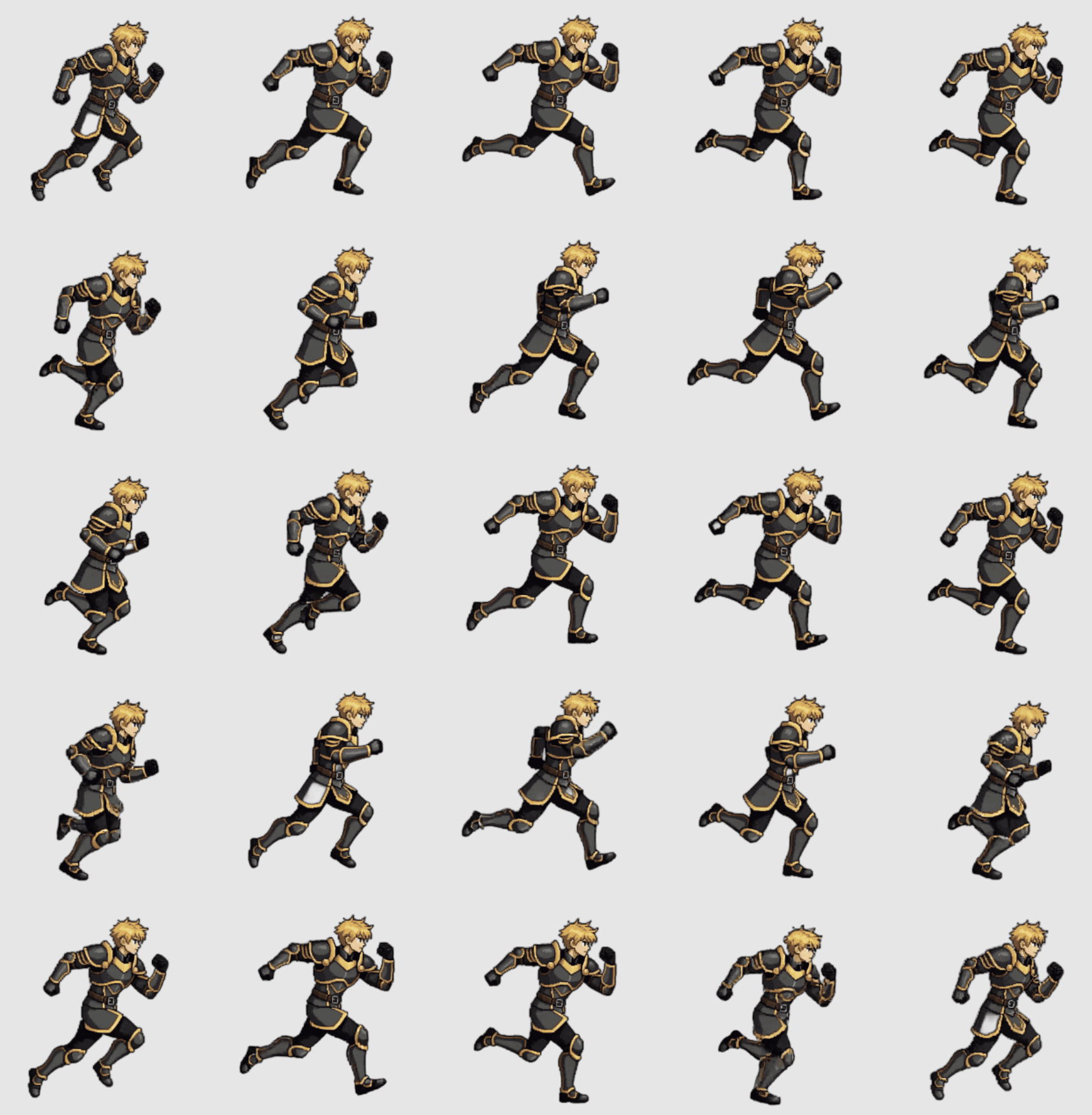
Paper 2D import
PNG sheet to Paper Flipbooks
Output fit
Paper 2D works best when every sheet has predictable frame dimensions, clean alpha, and animation states that can become separate Flipbooks.
Unreal needs
AutoSprite gives
Export one clean sheet per character move so Unreal can import the texture and split it into Paper 2D Sprite assets.
Use AutoSprite metadata to confirm frame dimensions, columns, and frame counts before extracting sprites from a grid.
Keep idle, walk, run, jump, attack, hit, and custom actions separate so each one maps cleanly to a Paper Flipbook.
Start from a prompt or single reference image and keep the same silhouette, costume, and camera angle across the move set.
PNG spritesheet
Texture source
The Unreal import starts from the PNG sheet, then Paper 2D extracts Sprite assets from the grid.
JSON frame data
Frame reference
Unreal does not consume AutoSprite JSON by default; use it as a reference or for a custom import script.
Multiple sheets
Separate Flipbooks
Keep animation states separate so asset naming and Blueprint playback stay straightforward.
Packed atlas
Custom pipeline
Use this only if your project has a custom atlas importer or editor automation around Paper 2D.
Actual workflow
AutoSprite supplies frame art while Unreal keeps ownership of the Content Browser, Paper 2D assets, movement, collisions, and runtime gameplay state.
Start from a character brief or existing concept art.
Download one uniform sheet per move from AutoSprite.
Extract the imported texture into individual Sprite frames.
Assemble frames into playback assets and switch them from game state.
Plan the generated character around Unreal assets you can import, extract, and play back.
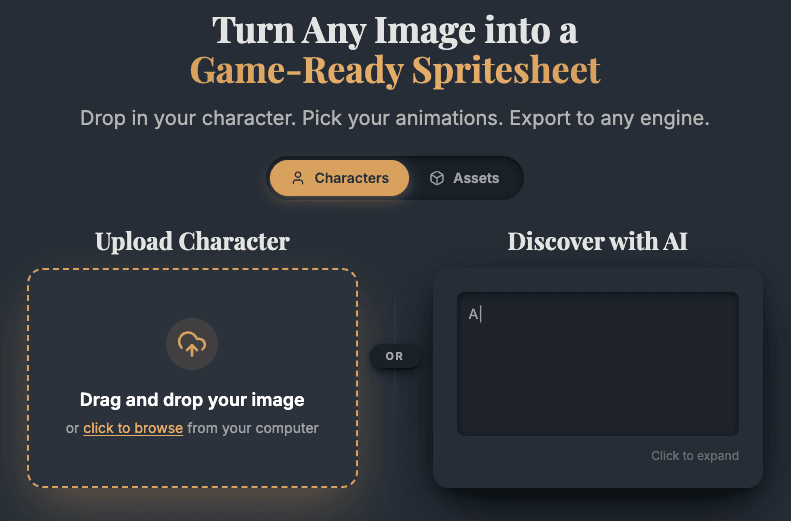
Pick animation states that map directly to the Flipbooks your Blueprint or C++ character will play.
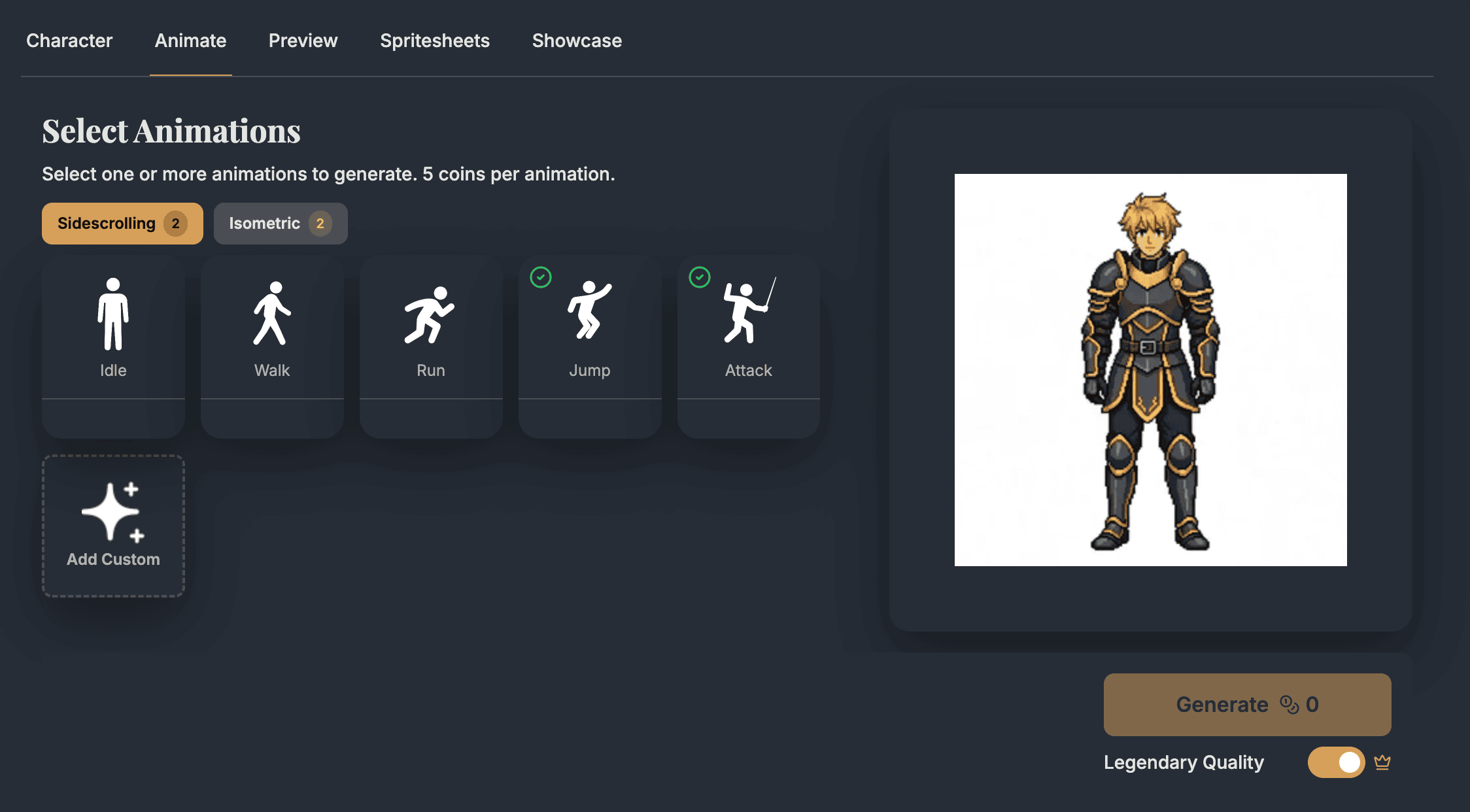
Inspect the take before it lands in your Content Browser.
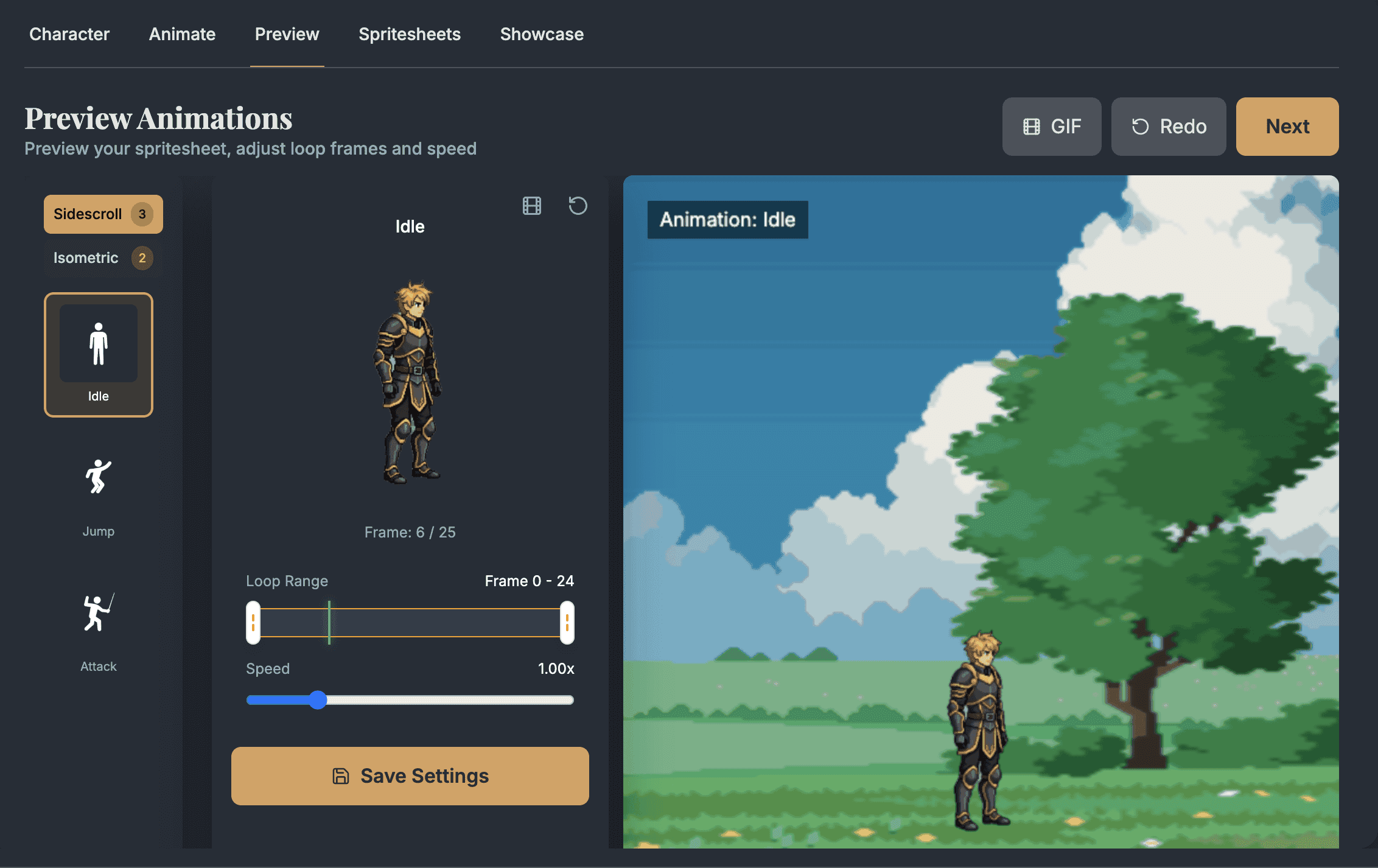
Bring the PNG into Unreal, split the sheet into Sprites, then assemble those Sprites into Paper Flipbooks.
Import PNG sheets, extract Sprites, then assemble Paper Flipbooks for the actions your character needs.
Paper 2D overviewUse Flipbooks for frame sequences, then switch those assets from a PaperFlipbookComponent.
Paper Flipbook docs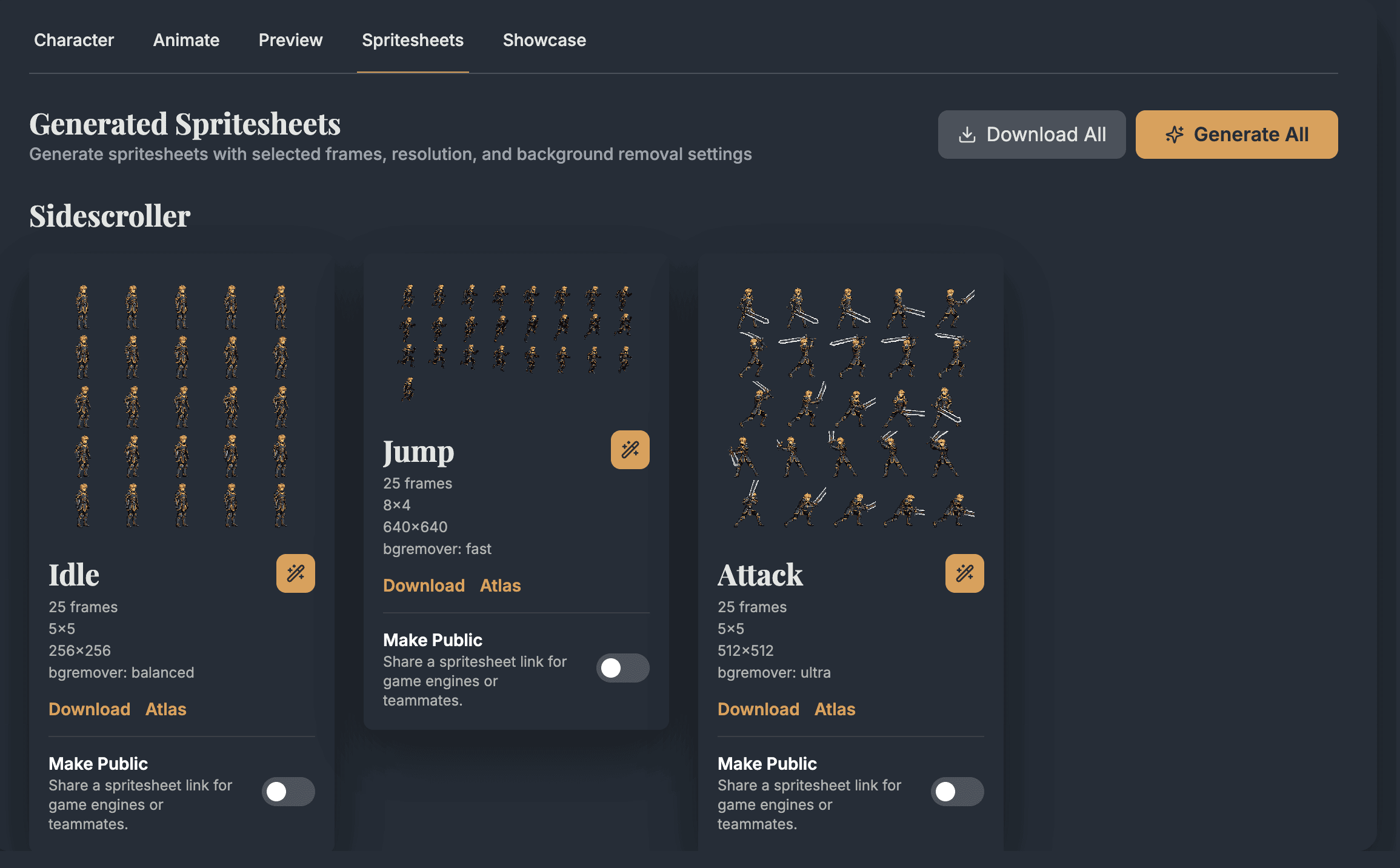
Paper 2D import
A good Unreal handoff keeps the texture, extracted Sprites, Flipbook assets, and runtime component easy to inspect.
Plugin
Paper 2D
Verify Paper 2D is enabled (it usually is by default) before working with Sprites, Flipbooks, and Tilemaps.
Texture asset
Imported PNG
AutoSprite's sheet starts as a normal texture in the Content Browser.
Sprite extraction
Extract Sprites
Use the frame size and grid count from AutoSprite metadata instead of guessing cells by eye.
Animation asset
Paper Flipbook
Assemble extracted Paper Sprites into Flipbooks for idle, run, jump, attack, and other states.
Runtime playback
PaperFlipbookComponent
Use a PaperCharacter, Actor, Blueprint, or C++ class to swap Flipbooks during gameplay.
Pixel rendering
Nearest-style filtering for pixel art
Right-click the texture and use Sprite Actions > Apply Paper2D Texture Settings so pixel sprites stay crisp when scaled.
Asset flow
Unreal works best when the generated sheet, extracted Sprites, Flipbooks, and runtime character state are separate enough to debug quickly.
Texture
01T_Player_Run_Sheet
Sprites
02SPR_Player_Run_00...11
Flipbook
03FB_Player_Run
Runtime
04PaperFlipbookComponent
Flipbook assets
State drivers
AutoSprite supplies the sheets. Unreal owns imported assets, Flipbooks, movement, collision, and runtime state.
Import guardrails
Most Unreal issues come from skipping Paper 2D setup, guessing grid dimensions, or expecting JSON to create assets without tooling.
Sprites and Flipbooks live in the Paper 2D workflow. The plugin ships enabled by default, but verify it under Edit > Plugins if the Sprite Actions are missing.
AutoSprite JSON is useful metadata, but Unreal does not automatically convert it into Paper 2D assets without custom tooling.
Use the exported frame width, frame height, columns, and frame count so extracted sprites line up with the generated cells.
Check texture filtering, compression, and project render settings when scaled pixel art looks soft in the viewport.
After import, verify pivots, pixels-per-unit scale, collision, and capsule size before wiring movement logic.
Workflow decision
Use AutoSprite for animation coverage, then let Unreal own imported assets, Flipbook playback, character state, and gameplay.
Use AutoSprite when
Use this workflow when input feel, enemy behavior, hit timing, or readable Paper 2D animation is blocked by missing frames.
Use Paper Flipbooks when
Flipbooks are the direct Paper 2D fit for a series of extracted Sprite frames played in sequence.
Use Blueprint when
Blueprints are a clean place to switch idle, run, jump, attack, and hit Flipbooks from movement or gameplay events.
Use C++ or editor utility when
Custom tools make sense when a production project needs repeatable import, naming, and Flipbook creation across many sheets.
Pipeline fit
Use generated idle, run, jump, and attack sheets while you tune input, camera, collision, and PaperCharacter movement.
AutoSprite supplies frame art. Unreal still owns Content Browser assets, Paper Flipbooks, components, collision, input, and rendering settings.
AutoSprite metadata is useful for frame size and count, but native Paper 2D asset creation still happens in Unreal unless you build custom tooling.
Sprite pivots, pixels-per-unit choices, and collision sizes affect how the character feels once movement code starts driving playback.
Blueprint or C++ handoff
After exporting AutoSprite sheets, an Unreal character can switch Flipbook assets from input, velocity, attack state, or animation events.
#include "PlayerPaperCharacter.h"
#include "PaperFlipbook.h"
#include "PaperFlipbookComponent.h"

void APlayerPaperCharacter::PlayMove(UPaperFlipbook* NextFlipbook)
{
    UPaperFlipbookComponent* Flipbook = GetSprite();

    if (!NextFlipbook || !Flipbook) return;
    if (Flipbook->GetFlipbook() == NextFlipbook) return;

    Flipbook->SetFlipbook(NextFlipbook);
    Flipbook->PlayFromStart();
}

void APlayerPaperCharacter::UpdateAnimation()
{
    const bool bIsMoving = !GetVelocity().IsNearlyZero();

    if (bIsAttacking)
    {
        PlayMove(AttackFlipbook);
    }
    else if (bIsMoving)
    {
        PlayMove(RunFlipbook);
    }
    else
    {
        PlayMove(IdleFlipbook);
    }
}
Unreal use cases
AutoSprite helps most when missing frame animation is blocking Paper 2D gameplay tests, asset iteration, or hybrid scene work.
Generate enough idle, run, jump, hit, and attack motion to test PaperCharacter feel before final art production.
Create readable frame animation for creatures, townspeople, effects, and interactable objects in Unreal scenes.
Use sprite characters or effects in Unreal levels while the engine continues to own camera, lighting, collisions, and state.
FAQ
These are the practical questions developers usually ask before they try the workflow in a real Unreal Engine project.
Yes. AutoSprite exports PNG sprite sheets that fit an Unreal Paper 2D workflow: import the texture, extract Sprites, create Paper Flipbooks, and play them from Blueprint or C++.
Not by default. Use AutoSprite JSON as frame-size and frame-count reference, or build custom editor tooling if you want automated asset creation.
Yes for frame-based 2D animation. Paper Flipbooks play a series of Paper Sprites in sequence and are the most direct Unreal asset for sprite-sheet animation.
Yes. Paper 2D is Unreal's built-in system for 2D Sprites, Flipbooks, Tilemaps, and related components, and it may need to be enabled as a plugin.
Check texture filtering, compression, mipmaps, and project rendering settings after import. Pixel art usually needs nearest-style filtering and careful scaling.
Yes. Paper 2D can support 2D and hybrid 2D/3D projects, so sprite animation can live inside a broader Unreal scene when that fits the game.
Start with a prompt or character image, choose the Paper 2D animation moves you need, and export PNG sheets when the motion is ready to test.
AutoSprite is independent and is not sponsored by or affiliated with Epic Games or Unreal Engine.