
Codex Pet Generator
Create a custom pet for Codex and ChatGPT.
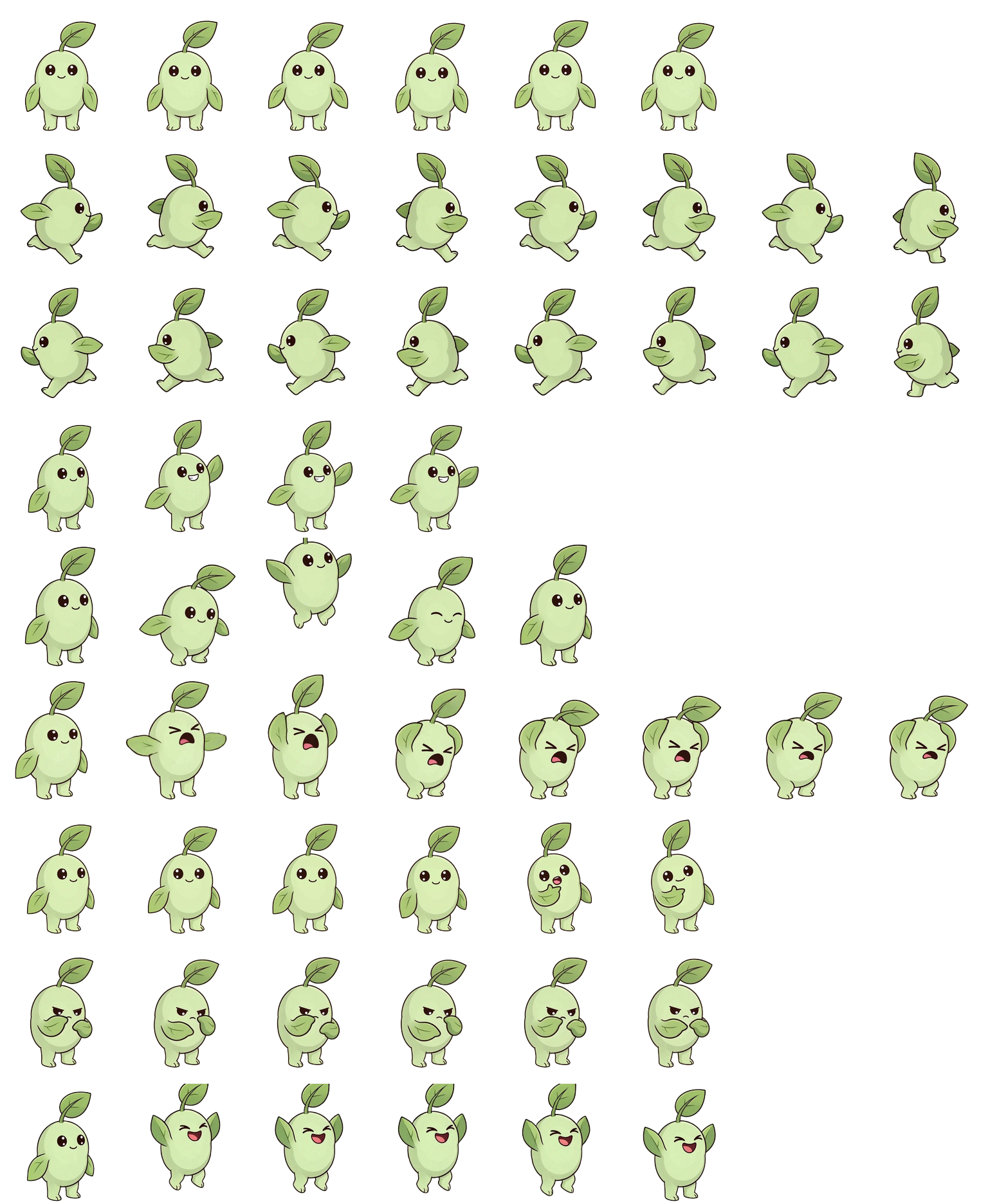
Describe a character or upload your own artwork. AutoSprite creates a compatible 1536 × 1872 sprite sheet with all nine required animation states, ready to download and install.
- 9 animation states
- 1536 × 1872 sprite sheet
- Ready in about 2 minutes
New accounts include 15 free credits. Each pet costs 10 credits.
Ribbit · Previewing all nine animation states
Interactive preview
See Your Pet Inside Codex
Drag the pet anywhere in the window to preview how it fits your Codex workspace.
Preview mode
Ribbit inside Codex
Your custom pet appears in the workspace while Codex runs tasks. Drag it to try a different position.
Example pets
Free Codex Pets to Download
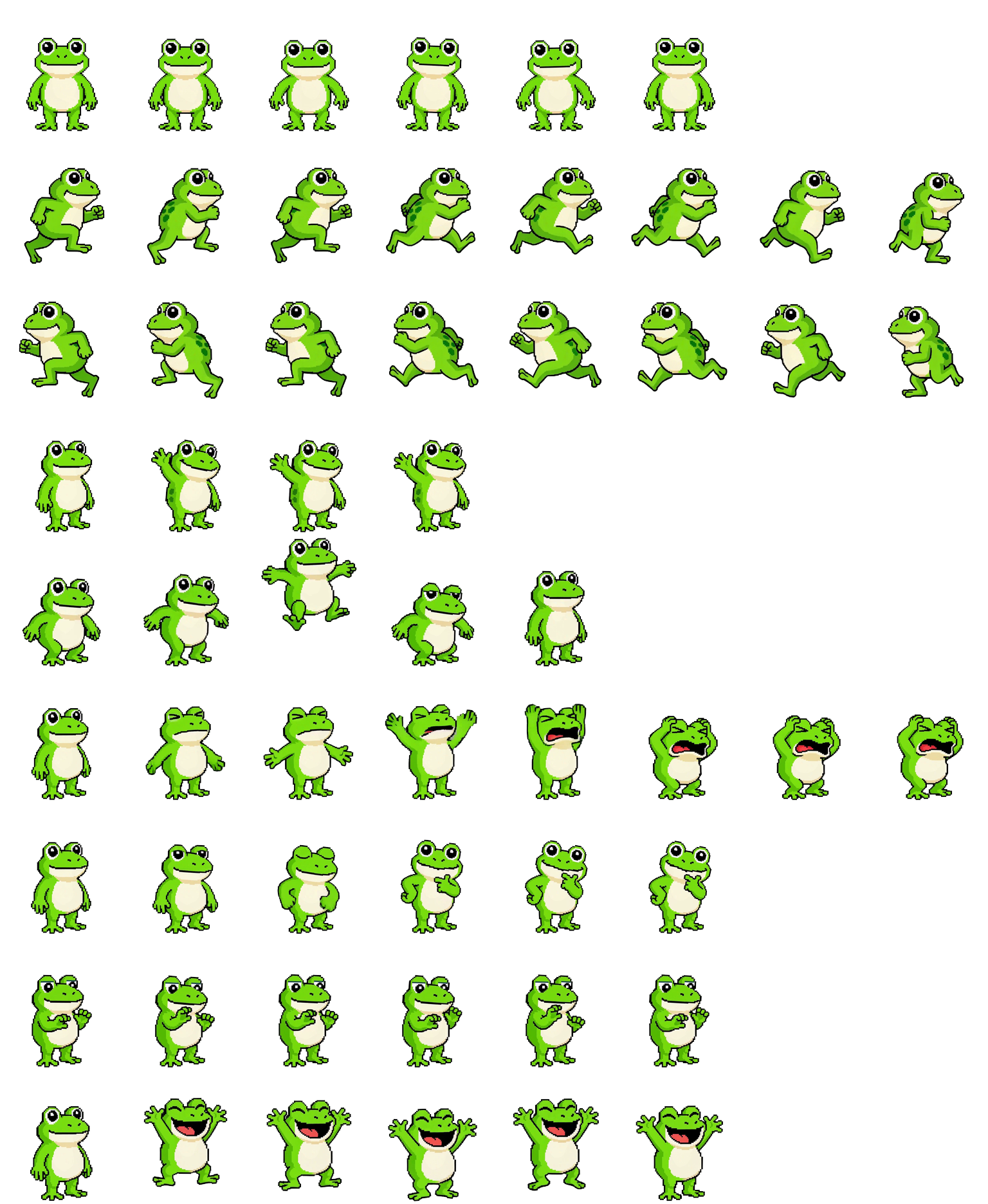
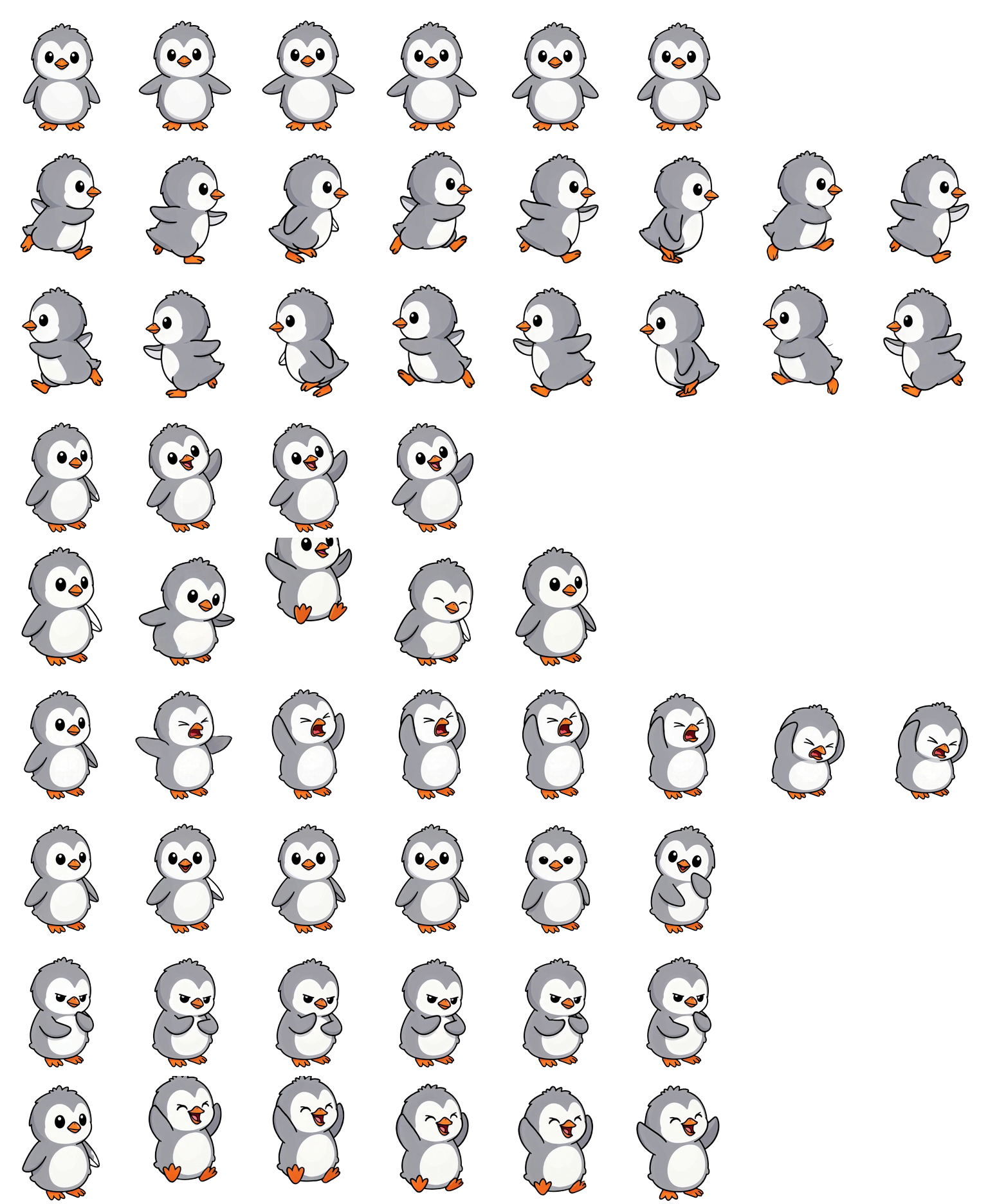
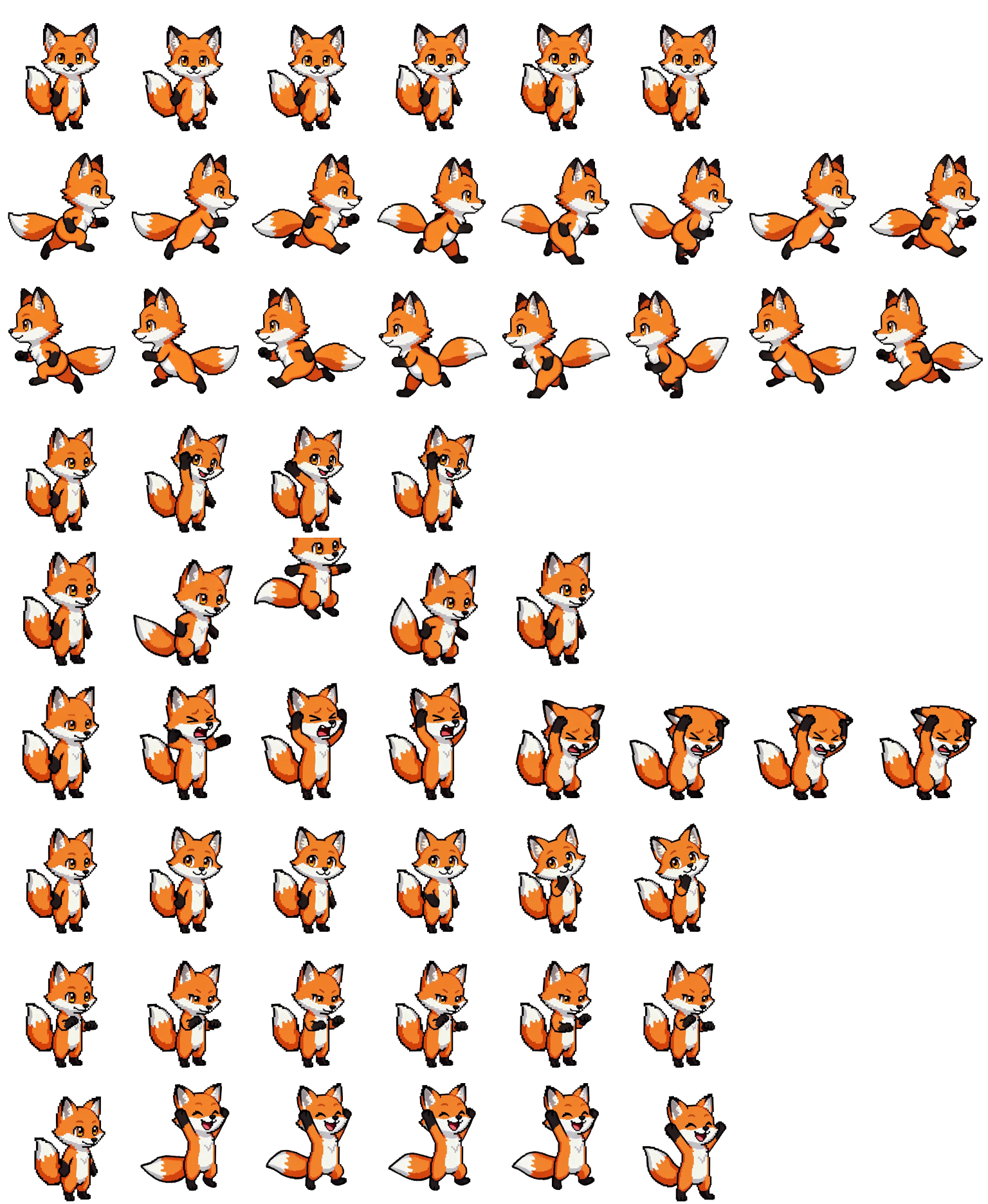
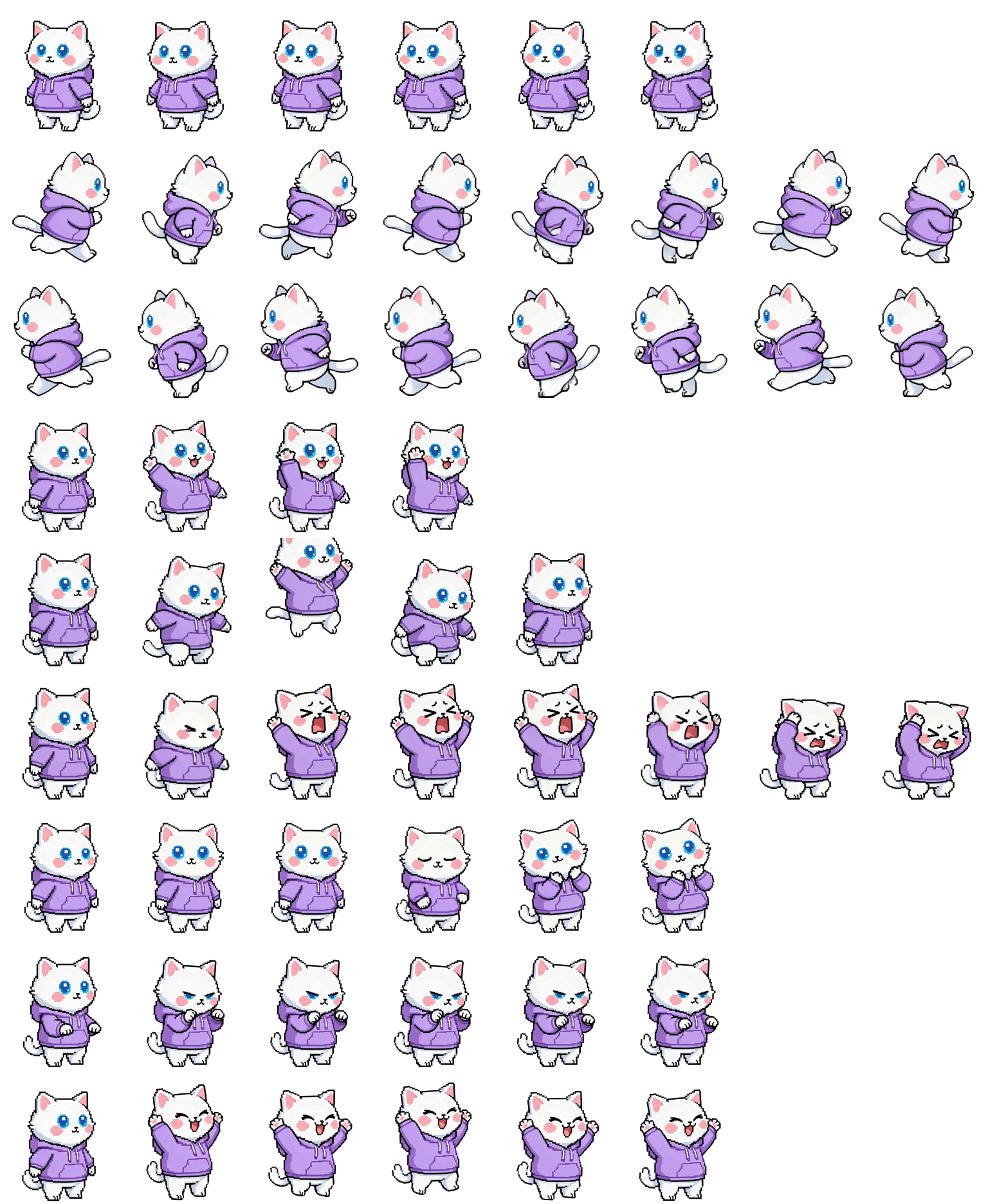
Preview and download five ready-to-install Codex pet sprite sheets. Each uses the required 1536 × 1872 layout and includes all nine animation states.
How it works
How to Make a Codex Pet
Create and install a custom Codex or ChatGPT pet in three steps.
Describe your pet
Enter a short character description, or upload existing character artwork as a reference.
9 required states
Generate the required states
AutoSprite creates the animation states required by the Codex pet sprite sheet format.
Download and install
Download the sprite sheet for ChatGPT, or the ZIP package for Codex CLI.
Installation guide
Install Your Pet in ChatGPT or Codex
- 1
Download the sprite sheet
Download the 1536 × 1872 WebP file. ChatGPT accepts the sprite sheet directly.
your-pet-spritesheet.webp1536 × 1872 · transparent · 9 statesChatGPT-ready sprite sheet
- 2
Open Personalization settings
In ChatGPT, open Settings → Personalization → Pet.
chatgpt.com — SettingsGeneralNotificationsPersonalizationData controlsCustom instructionsPetChoose ›Memory - 3
Upload your sprite sheet
Choose “Upload your own” and select the downloaded WebP file.
Drop your-pet-spritesheet.webp
1536 × 1872 · 9 states
spritesheet.webp - 4
Select your custom pet
Your pet will appear in ChatGPT and react while you work.
chatgpt.comrefactor the sprite loaderOn it — three files to touch…
These steps also work in the ChatGPT desktop app.
FAQ
Codex Pet Generator Questions
What is a Codex pet?
A Codex pet is a custom animated companion displayed while Codex or ChatGPT is working. Its behavior is controlled by a sprite sheet containing the required animation states.
What files does the generator create?
You receive a transparent 1536 × 1872 WebP sprite sheet for ChatGPT and a Codex ZIP containing the same sheet plus a pet.json manifest.
What sprite sheet format does Codex use?
The current format uses a 1536 × 1872 transparent sprite sheet arranged in an 8-column by 9-row grid. Each cell is 192 × 208 pixels.
How much does a custom pet cost?
Each pet costs 10 credits. New accounts include 15 credits, enough to generate one pet before purchasing additional credits.
Can I use my own character artwork?
Yes. Upload a PNG, JPEG, or WebP image at least 300 × 300 pixels. A clear, full-body character image works best.
How long does it take?
Most pets are ready in about two minutes. You can leave the page while generation continues.
How do I install a custom pet?
In ChatGPT, upload the sprite sheet from Settings → Personalization → Pet. For Codex CLI, install the ZIP in your Codex pets directory and restart Codex.