Sprite Sheet Generator
Generate animated sprite sheets from a single image or text description. Walk cycles, idle loops, attacks, and more - export game-ready PNGs for any 2D engine in seconds.
Export-ready for your engine





What Is an AI Sprite Sheet Generator?
A sprite sheet is a single image containing multiple animation frames arranged in a grid. Game engines read these grids to play back smooth character animations - walking, running, attacking, and everything in between. Traditionally, creating sprite sheets means drawing every frame by hand or paying an artist to do it, which takes hours or days for even a single character.
An AI sprite sheet generator like AutoSprite replaces that manual process with artificial intelligence. Describe your character in text or upload a single reference image, pick the animations you need, and the AI generates every frame - with consistent character design, transparent backgrounds, and proper grid formatting for direct import into any game engine.
Sprite Sheet Maker, Sprite Generator, or Sprite Creator?
These all describe the same job, and AutoSprite is built to do it. Whether you call it a sprite sheet maker, a spritesheet generator, a sprite generator, or a sprite creator, the goal is the same: turn one character into a clean grid of animation frames.
Most tools labelled a sprite sheet maker only pack frames you already drew into a single image. AutoSprite goes further: as an AI sprite generator and sprite creator, it produces the frames themselves from a prompt or a single image, then assembles them into a game-ready sheet.
So one consolidated tool covers the whole pipeline a spritesheet generator workflow normally splits across several apps: character creation, animation, background removal, and final sheet assembly, all in one place.
How to Create a Sprite Sheet with AI
Step 1
Upload or Describe
Upload a character image or describe your character in text. The AI generates a consistent base character that maintains its look across all animations.
Step 2
Choose Animations
Select from 20+ preset animation types - walk, run, idle, attack, jump - or describe a custom animation in plain text. Queue multiple animations at once.
Step 3
Export Sprite Sheets
Download transparent PNG sprite sheets with JSON atlas files. Each sheet is grid-formatted and ready to import into Unity, Godot, GameMaker, Phaser, or RPG Maker.
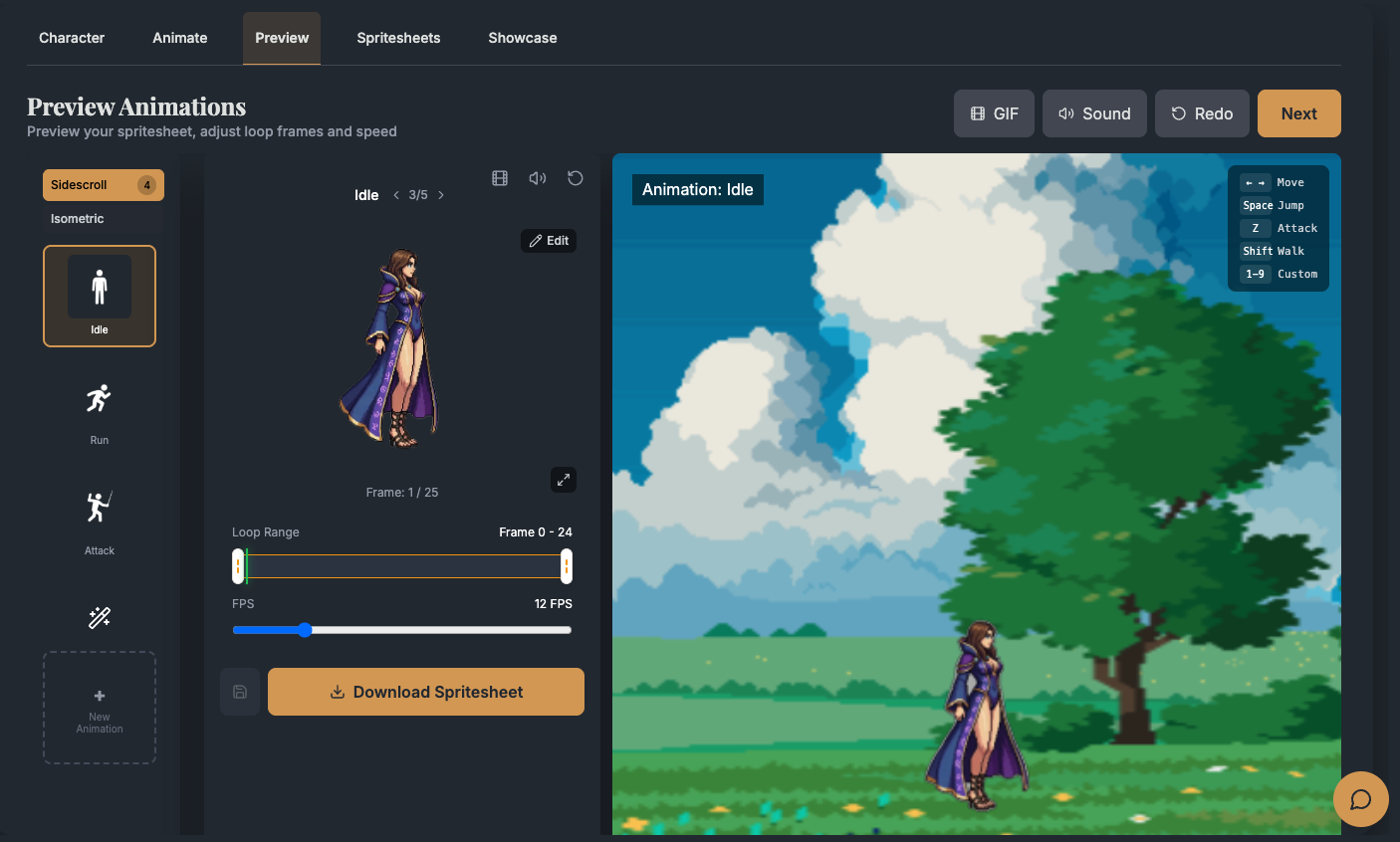
Animation Types You Can Generate
AutoSprite's AI sprite sheet generator supports a wide range of animation types for 2D game development. Each animation is generated with smooth frame-to-frame transitions and consistent character design.
Walk Cycle
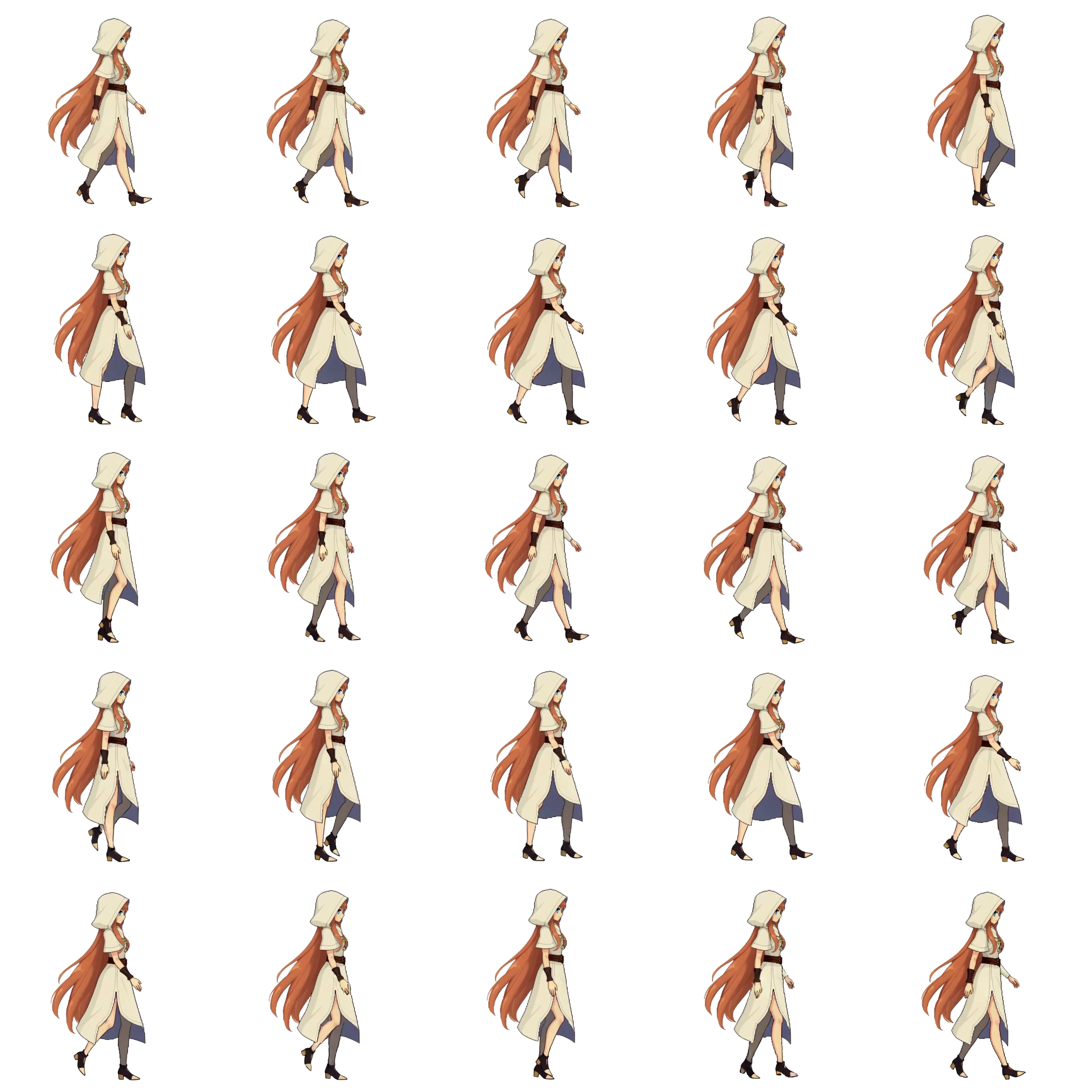
Smooth walking loops with natural arm swing and foot placement. The most essential animation for any character - AutoSprite generates consistent stride length and timing across all frames.
Run Cycle
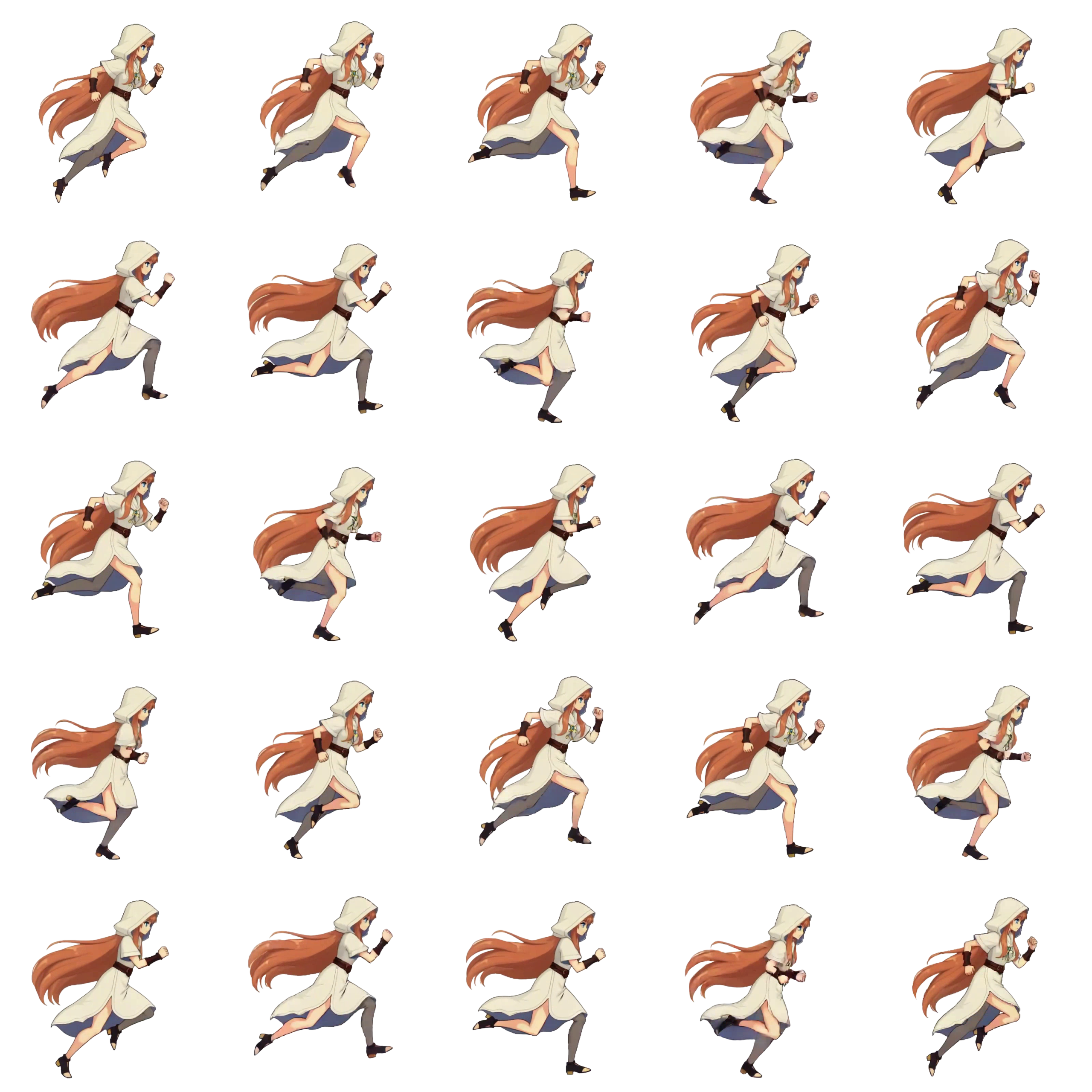
Dynamic running animations with exaggerated motion and sense of speed. Perfect for platformers, action games, and any gameplay where characters need to move fast.
Idle
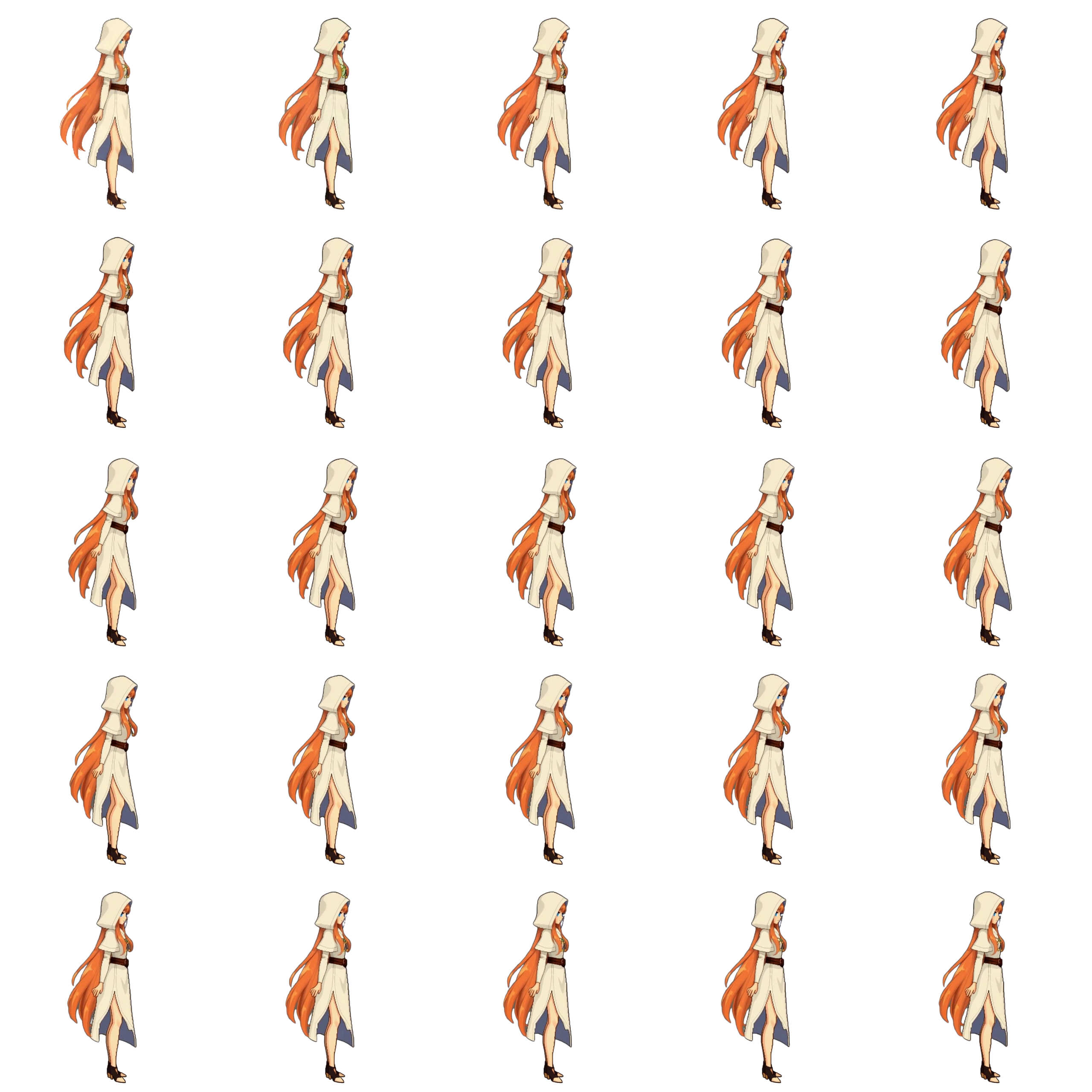
Breathing loops and subtle movement that bring characters to life when standing still. Idle animations prevent your sprites from looking like static images during gameplay pauses.
Attack
Melee strikes, ranged attacks, and spell casting sequences. The AI generates weight and follow-through so attacks feel impactful - punches, kicks, sword swings, and projectile launches.
Jump
Launch, apex, and landing frames for complete jump arcs. Includes anticipation squash before takeoff and recovery on landing for natural-looking platformer movement.
Custom Animations
Describe any motion in plain text and the AI generates it. Swimming, climbing, dancing, casting spells, picking up items - if you can describe it, AutoSprite can animate it.
Supported Art Styles
Whether you're building a retro pixel art platformer or a high-resolution fantasy RPG, the AI adapts to your visual style. Describe the look you want in your prompt or upload a reference image, and every animation frame will match.
- Pixel Art
- Anime
- Chibi
- Realistic
- Fantasy
- Sci-Fi
- Cartoon
- Retro 16-bit
- Minimalist
- Watercolor
- Comic Book
- Low Poly
Sprite Sheet Workflows by Game Engine
AutoSprite exports game-ready PNG sheets and JSON metadata, but every engine handles import a little differently. Use these workflow pages when you already know your engine and want the settings, terminology, code, and common mistakes for that stack. Need technical import docs? Start with the integration docs.
Unity

Unity sprite sheet generator
A Unity-first workflow for PNG + JSON export, Sprite Editor slicing, AnimationClips, Animator setup, and the optional Unity Extension path.
Open workflow →Unreal Engine

Unreal Engine sprite sheet generator
An Unreal Engine Paper 2D workflow for PNG sheets, sprite extraction, Paper Flipbooks, PaperCharacter setup, import settings, and Blueprint playback.
Open workflow →Godot
Godot sprite sheet generator
A Godot 4 workflow for AnimatedSprite2D, SpriteFrames, CharacterBody2D scenes, import settings, and GDScript animation playback.
Open workflow →GameMaker

GameMaker sprite sheet generator
A GameMaker workflow for numbered frame PNGs, Sprite assets, origins, playback speed, _stripN alternatives, and Object event logic.
Open workflow →Phaser
Phaser sprite sheet generator
A Phaser 3 workflow for load.spritesheet, frameWidth/frameHeight config, animation keys, Scene code, and Arcade Physics handoff.
Open workflow →RPG Maker
RPG Maker sprite generator
An RPG Maker workflow for MV/MZ/VX Ace walking character sheets, $ and ! filename prefixes, row order, and img/characters placement.
Open workflow →Who Uses an AI Sprite Sheet Generator?
Indie Developers
Solo devs and small teams can generate complete character animation sets in minutes instead of weeks. Focus on game design while AI handles sprite production.
Game Jams
When you have 48 hours to ship a game, every minute counts. Generate walk cycles, attacks, and idle animations on the fly so you can focus on gameplay.
Studios & Teams
Speed up prototyping and pre-production. Test gameplay with AI-generated sprites before committing art budget to final assets. Iterate on character designs rapidly.
Students & Educators
Learning game development? Get past the art barrier and build playable games with animated characters. Focus on coding and design fundamentals.
Why AutoSprite for Sprite Sheet Generation?
- Single image to full animation - no drawing required
- Generation in seconds, not hours or days
- Transparent PNG sheets with JSON atlas data
- Works with every major 2D game engine
- Consistent character design across all animation frames
- 20+ preset animations plus unlimited custom motions
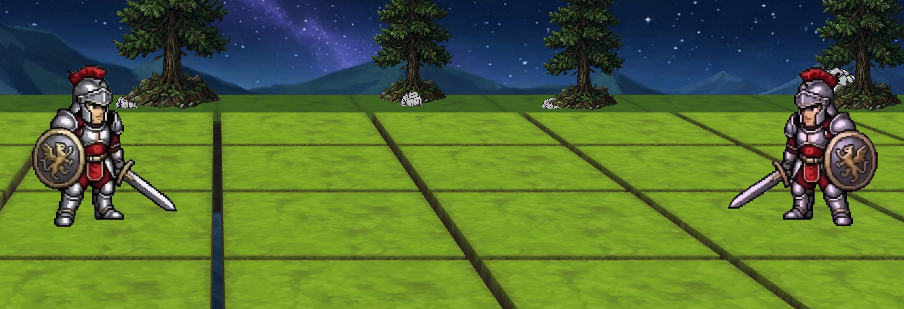
Sprite Sheet Examples
See what AutoSprite's AI sprite sheet generator can produce. These are real sprite sheets generated by the tool - download free sample sprite sheets to test in your own game engine.
Frequently Asked Questions
What is an AI sprite sheet generator?
An AI sprite sheet generator is a tool that uses artificial intelligence to create animated sprite sheets for 2D games. Instead of drawing each frame by hand, you describe your character or upload a single image, and the AI generates a full set of animation frames arranged in a grid, ready to import into any game engine.
Is a sprite sheet maker the same as a sprite sheet generator?
Yes. Sprite sheet maker, sprite sheet generator, spritesheet generator, sprite generator, and sprite creator all describe the same thing: a tool that produces a grid of animation frames for a 2D character. AutoSprite is all of these in one, the difference is that it generates the frames for you with AI instead of asking you to draw or arrange them by hand.
How does AutoSprite generate sprite sheets?
AutoSprite uses AI to animate a single character image into smooth motion sequences. Upload or generate your character, choose animations like walk, run, or attack, and AutoSprite renders every frame, removes backgrounds, and assembles them into a properly formatted sprite sheet with transparent PNGs.
Can I create a sprite sheet from a single image?
Yes. Upload any character image and AutoSprite will animate it into a full sprite sheet. The AI preserves your character's design while generating natural-looking animation frames for walk cycles, idle loops, attacks, and more.
What animation types can I generate?
AutoSprite supports idle, walk, run, jump, attack, cast, dodge, crouch, swim, climb, dance, wave, and many more animation types. You can also create fully custom animations by describing the motion you want.
Which game engines are supported?
AutoSprite exports work with Unity, Godot, GameMaker, Phaser, RPG Maker, Construct, and virtually any other 2D game engine that supports PNG spritesheets. Each export includes a PNG sprite sheet and JSON atlas file with frame coordinates.
Is there a free tier?
Yes. AutoSprite offers a free tier so you can try the AI sprite sheet generator before committing. Free users get credits to generate characters and animations. Paid plans unlock more exports and higher resolution options.
What art styles does the AI support?
AutoSprite can generate sprite sheets in many art styles including pixel art, anime, chibi, realistic, fantasy, sci-fi, cartoon, retro, minimalist, and more. Describe your preferred style in the text prompt or upload a reference image.
Do the sprite sheets have transparent backgrounds?
Yes. All exported sprite sheets use transparent PNG format. AutoSprite automatically removes backgrounds from each frame so your characters are ready to composite over any game environment.
How fast is generation?
Most sprite sheets generate in seconds. The AI pipeline handles character creation, animation, frame extraction, background removal, and sheet assembly automatically. Batch processing multiple animations is also supported.
Can I use generated sprites in commercial games?
Yes. Sprites you generate with AutoSprite are yours to use in personal and commercial projects. Ship them in prototypes, early access builds, game jam entries, or full commercial releases.
What resolution are the sprite sheets?
AutoSprite supports multiple resolutions. Standard exports are 512×512 per frame with configurable grid sizes. You can adjust frame dimensions and grid layout to match your game's requirements.
How is this different from drawing sprites by hand?
Traditional sprite sheet creation requires drawing every animation frame individually, and a walk cycle alone can take hours. AutoSprite generates complete animation sequences from a single image or text description in seconds, dramatically reducing production time while maintaining consistent character design across all frames.
Can I edit the generated sprites?
Yes. AutoSprite exports standard PNG sprite sheets and individual frames, so you can open them in any image editor (Photoshop, Aseprite, GIMP, Piskel) for touch-ups or modifications before importing into your game engine.
Does AutoSprite support batch generation?
Yes. AutoSprite's advanced mode lets you queue multiple animations for a single character and process them all at once. Generate a complete animation set, idle, walk, run, jump, and attack, in one batch.
What if I need a custom animation that's not in the presets?
AutoSprite supports fully custom animations. Describe the motion you want in plain text, like 'character swings a sword overhead' or 'character casts a fireball', and the AI will generate the animation frames for you.
Does AutoSprite maintain character consistency across animations?
Yes. Character consistency is a core feature of AutoSprite. The AI preserves your character's exact design, proportions, colors, and details across every animation frame, whether it's an idle loop, walk cycle, attack, or custom animation.
Start Creating Sprite Sheets
Join thousands of game developers using AI to generate animated sprite sheets. Free to start - no credit card required.
Try AutoSprite Free