
AutoSprite is an AI-powered spritesheet generator that turns a single character image into complete, game-ready animation sets. Whether you're building a retro platformer, action RPG, or indie game, AutoSprite helps you create professional animations without frame-by-frame drawing.
What Can You Create?
- Character Animations - Idle, walk, run, jump, attack, and custom animations
- Multi-Direction Sprites - Automatically generates all 4 directions
- Game-Ready Exports - PNG spritesheets with JSON atlas files
- Character Consistency - Same character design preserved across all animations
- Engine Integration - Works with Unity, Godot, GameMaker, Phaser, and more
How It Works
Upload Your Character
Start with any character image - a drawing, pixel art, or AI-generated character. AutoSprite works best with clear, front-facing characters.
Select Animations
Choose from preset animations (idle, walk, run, jump, attack) or create custom animations with your own prompts.
Generate
AutoSprite uses AI to create smooth animation loops. Each animation takes about 30-60 seconds to generate.
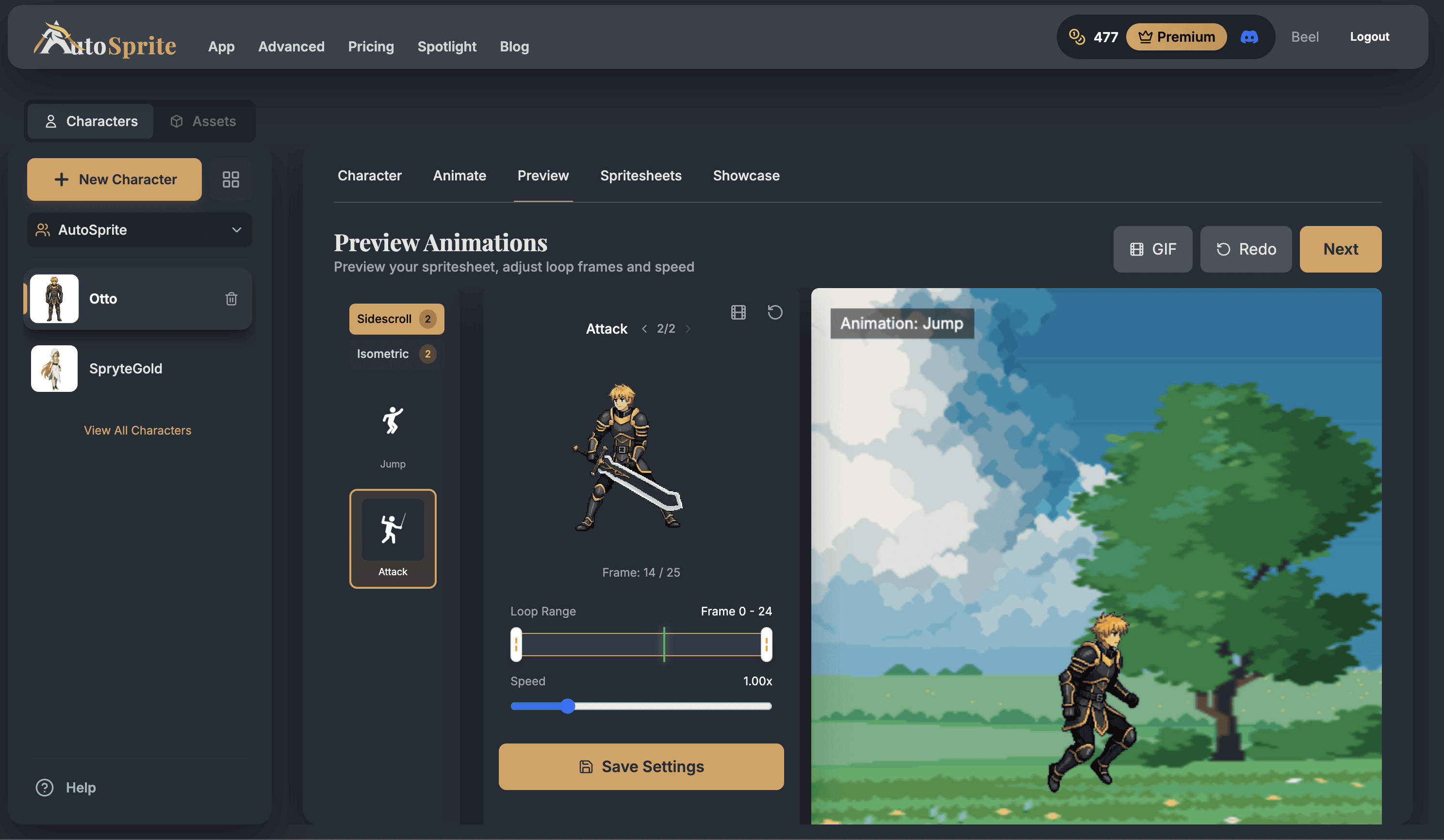
Preview & Adjust
Test your animations in the built-in game preview. Adjust speed, trim frames, or regenerate any animation.
Export
Download your spritesheet as a PNG with JSON metadata. Import directly into your game engine.
Ready to Start?
New users get 15 free credits to try AutoSprite. No credit card required.