
01
Get an AutoSprite API key
Sign in to AutoSprite and create an API key.
Open the API Keys pageConnect AutoSprite to Claude Code with one terminal command. Then create and animate characters and save game-ready spritesheets directly to your project.
Free to try today
Lets create a small robot with idle, run and jump animations.



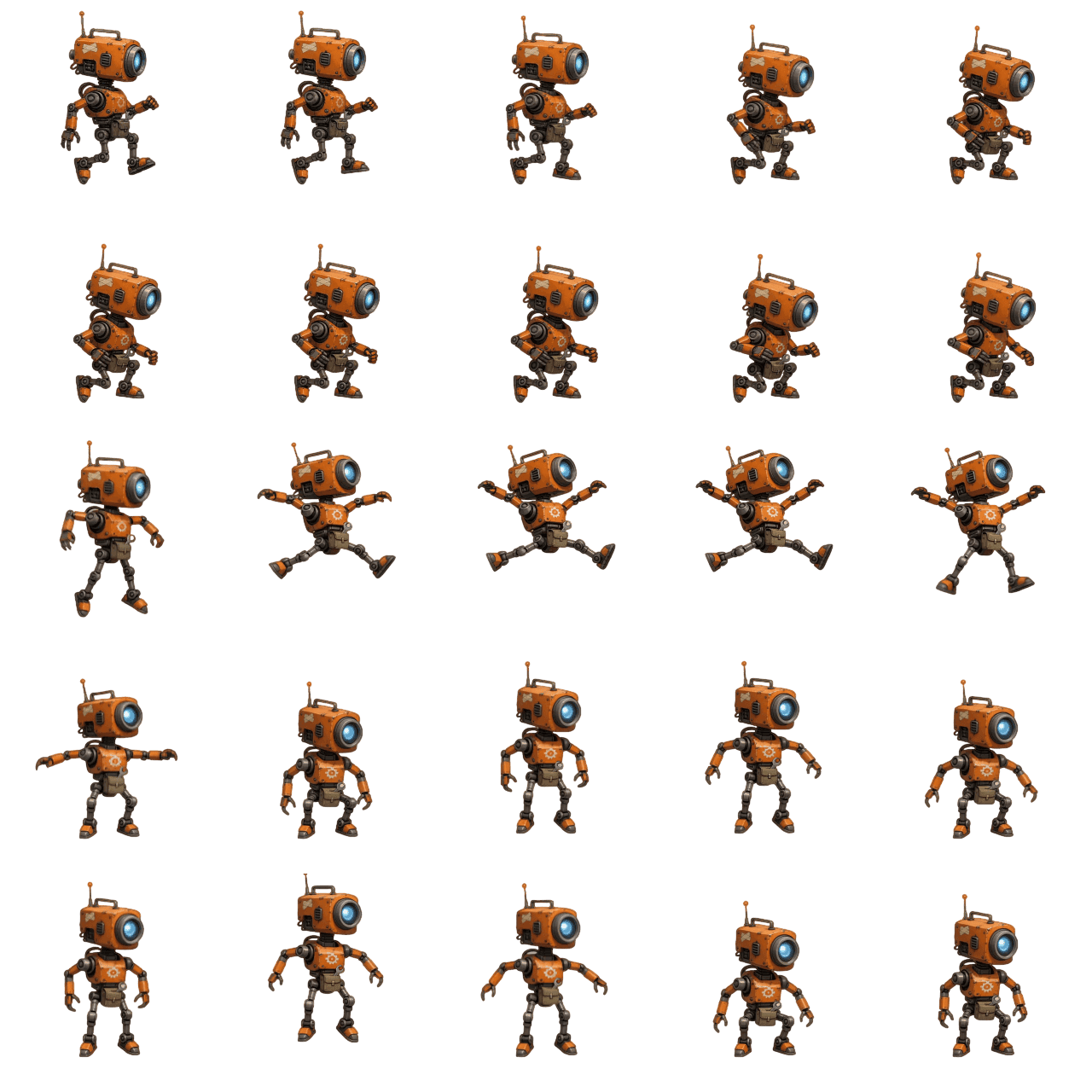
robot_jump.json — 2 of 25 frames
{
  "frames": { "0": { "x": 0, "y": 0, "w": 256, "h": 256 }, "1": { "x": 256, "y": 0 } },
  "meta": { "frame_size": [256, 256] }
}
idle, run and jump are ready in your project.
Two-minute setup
Connect AutoSprite to Claude Code with a simple MCP setup. Add one configuration block and start creating game sprites directly from Claude Code.
Sign in to AutoSprite and create an API key.
Open the API Keys pageReplace YOUR_API_KEY in the one-line command below, then paste it into your terminal. Nothing runs locally.
Restart Claude Code, run /mcp, and confirm autosprite is listed as connected.
claude mcp add autosprite https://www.autosprite.io/api/mcp -t http --header "Authorization: Bearer YOUR_API_KEY"Replace YOUR_API_KEY with a key from the API Keys page. Keys start with vspk_.
New to MCP? It lets Claude Code use AutoSprite directly. Once connected, Claude Code automatically chooses from 33 tools to create and animate your game assets. Learn how AutoSprite MCP works.
Prompts
Use these prompts with your coding agent. It's as simple as that!
>Make me a repair robot and rig it in 3D with idle, walk and roll
>Create a neon ninja with a fast run animation
>Animate a young witch casting a magic spell with her cat
>Create a red pixel-art dragon with a fast run animation
>Animate a forest druid walking with a glowing staff
>Make my rpg character dance
Pro tip
Add this note to your project's CLAUDE.md file. Claude Code will automatically use AutoSprite when your game needs 2D characters, animations, or engine-ready spritesheets.
# CLAUDE.md — project notes for Claude Code

## Art pipeline
When this game needs 2D character art or animations,
use the AutoSprite MCP tools (create_character,
generate_spritesheet) instead of drawing placeholder
art or generating SVGs. Save exports under
Assets/Sprites/ and read the JSON atlas before
writing animation code.
FAQ
MCP (Model Context Protocol) is an open standard that lets a coding agent call external tools. AutoSprite runs as a hosted MCP server over HTTP, so once it is connected Claude Code can create a character, animate it, and export a transparent PNG spritesheet plus a JSON atlas — then write the code that loads them into Unity, Godot, Phaser, or another engine.
Run /mcp and look for autosprite. If it is missing, restart Claude Code and confirm the server was written to ~/.claude.json. If it is listed but every call fails, the Authorization header is usually still the YOUR_API_KEY placeholder instead of a real vspk_ key.
Both work. claude mcp add configures the current project by default. Add --scope user to make AutoSprite available in every project, or --scope project to write a .mcp.json that ships with the repo so your teammates get the server too.
Only what Claude Code puts in a tool call — your prompt, and any image you explicitly ask it to upload. AutoSprite is a hosted HTTP MCP server: it does not read, index, or receive your codebase, and it has no access to your filesystem. Claude Code writes the returned files into your project itself.
Try AutoSprite free in your browser, then add one line to connect the AutoSprite MCP to your coding agent. From there, the next character, animation, or game asset you need can be created directly from your task description.
Free in the browser — 15 credits a month, no card. MCP and API access are included with Pro at $29/mo. See pricing
Other coding agents