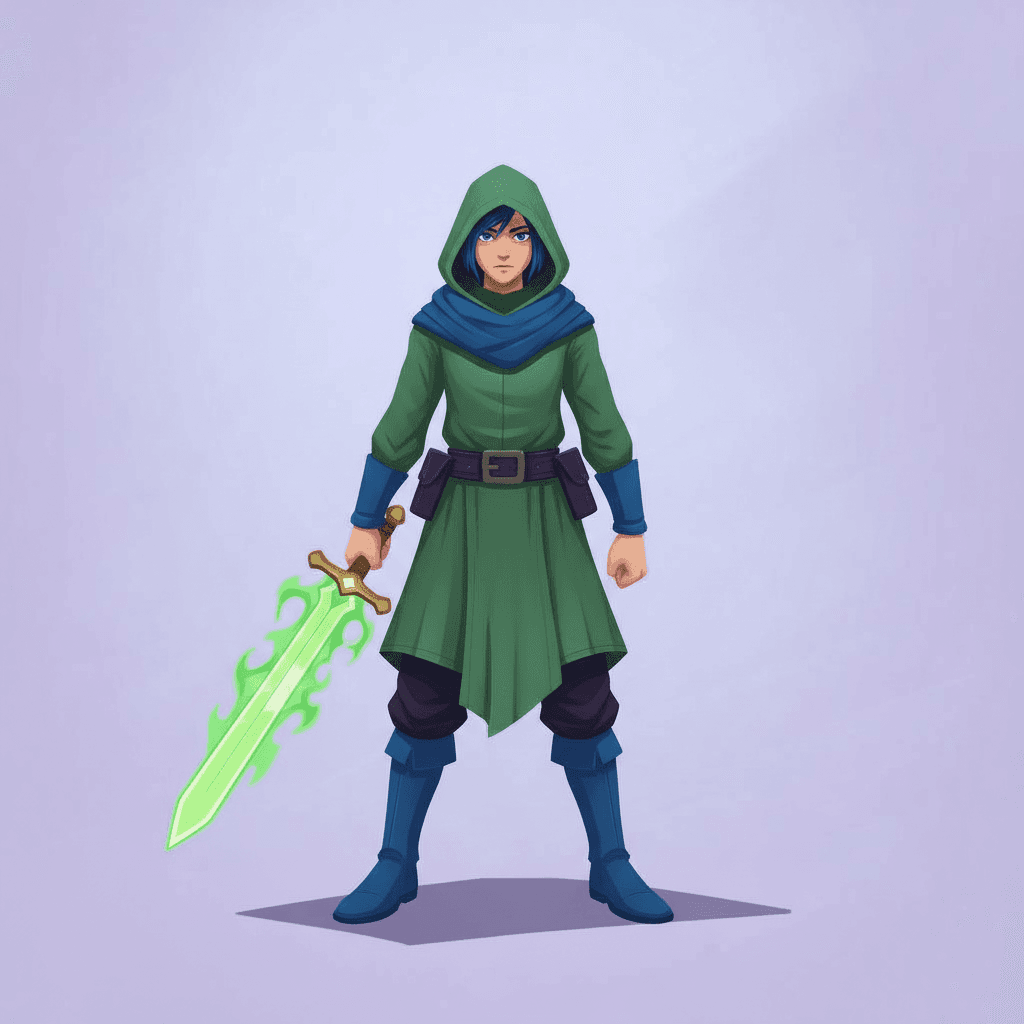
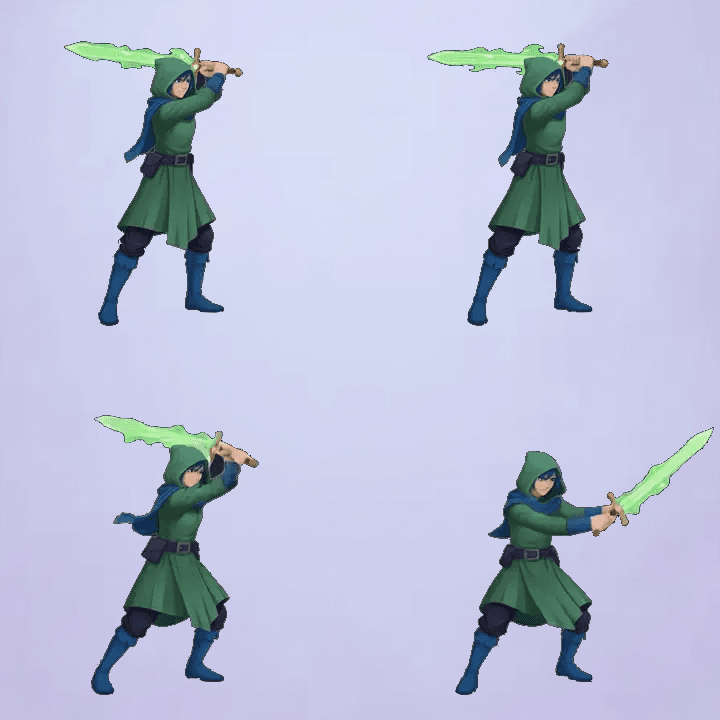
Upload a single sprite, type a text prompt, pick a moveset, and export engine-ready spritesheets automatically.
01Feature 1 of 9: Sprite to spritesheet
Turn one image into a full sprite sheet in seconds
Start with one character image or text prompt and generate consistent Idle, Walk, and Run animations, ready to export as production-ready spritesheets.
Turn a custom text prompt into animation, then guide it with multiple storyboard keyframes and reference images for precise, consistent character motion.
Turn one character into a complete isometric movement set. Every direction preserves the same identity and loops cleanly through the same movement.
04Feature 4 of 9: Assets
Generate game props that match your world
Create icons, weapons, items, and pickups in one visual language, ready for inventory grids, pickups, and shops.
05Feature 5 of 9: Outfit and skin varieties
Character Editing
Keep the same character while exploring new outfits, skins, and visual directions. Every variation stays centered, consistently scaled, and ready to animate.
Keep the animation movement consistent while changing the art style, outfit, and other visual details. Create new character variations without rebuilding the motion from scratch.
07Feature 7 of 9: Motion transfer
Motion Control Library
Apply existing animation motions—or motion captured from a video—to any character while preserving its identity and visual style.
08Feature 8 of 9: 3D model and animation
Go from image to animated 3D motion
Generate a fully rigged 3D model from a character image, generate once then animate from any angle.
09Feature 9 of 9: Cutscene generation
Turn a text prompt into a cinematic moment
Generate cinematic AI videos for epic cutscenes from a text prompt.
How the spritesheet generator works
Upload once, choose the moves you need, and turn a character into production-ready spritesheets without rebuilding the pipeline by hand.
01
Upload or create a character
Drop in any image or start from a text prompt. AutoSprite keeps the character aligned while you choose the animations your game needs.
No manual trimming, padding, or renaming
Choose idle, walk, run, jump, attack, or custom moves
02
Preview every move
Play the animation in your browser, test the loop, and adjust timing before committing it to your build.
Check movement and pacing immediately
Review changes before exporting again
03
Export engine-ready files
Download production-ready PNG spritesheets with matching atlas data and individual frames for your game pipeline.
PNG sheet, atlas metadata, and frame ZIP
Ready for Unity, Godot, GameMaker, Phaser, and more
AutoSprite removes repetitive slicing and cleanup work so the team can stay focused on art direction, iteration, and gameplay.
No manual slicing or PSD cleanup
Frame names stay consistent between exports
Reusable presets keep every sheet aligned
Re-export with new art while layouts stay intact
Character proportions stay consistent across animations
Lighting and color grading stay locked to the concept
Animation pivots and baselines match for seamless swaps
Versioned exports make QA and iteration safer
Before you export
Frequently asked questions
The practical details about custom animation, automation, collaboration, files, engines, ownership, and pricing.
What files do I get?
Every export includes a PNG spritesheet plus an atlas file with frame data. You can also grab individual frames from the ZIP.
Can I use these in commercial games?
Yes. The spritesheets you generate are yours to ship. Use them in prototypes, early access builds, or full releases.
How fast is the generator?
Most spritesheets render in seconds. Higher-resolution art and long custom loops can take a little longer, but the queue runs continuously.
Does it work with my engine?
Yes. Load the spritesheet and atlas in Unity, Godot, GameMaker, Phaser, Astrocade, or RPG Maker without reformatting. Works in virtually any engine.
Can I use reference images for a custom animation?
Yes. Upload reference images to guide the character's appearance, pose, props, outfit, or visual direction while creating a custom animation. References help the animation stay closer to your intended design instead of relying on the text prompt alone.
How do keyframes work in custom animation?
Keyframes let you define important moments in the motion, such as the opening pose, action beat, impact frame, or ending pose. Combine storyboard keyframes with a text prompt and reference images to give AutoSprite clearer direction over timing, composition, and character motion.
Does AutoSprite support batch processing?
Yes. Advanced Mode can queue multiple animations across one or more characters, apply saved reusable movesets, track each pipeline stage, and prepare the finished spritesheets for download. Advanced Mode is available on qualifying paid plans.
Does AutoSprite offer a REST API?
Yes. Plans with API access can create and list characters, request animations and spritesheets, monitor asynchronous jobs, and download generated assets programmatically. Use the REST API to connect AutoSprite to a game production pipeline or automate batch jobs.
Can I use AutoSprite through MCP?
Yes. Connect AutoSprite to compatible MCP clients such as Claude Code, Cursor, Codex, Windsurf, Cline, and Gemini CLI. Your coding agent can create characters, generate animations, and export spritesheets and assets from the environment where you build your game.
Can teammates collaborate?
Yes. The Studio or Enterprise plan adds team management so organizations can manage members and share characters and saved movesets from one workspace. This helps artists and developers reuse approved assets, standardize animation sets, and coordinate higher-volume production.
Can AutoSprite generate isometric and directional sprite animations?
Yes. AutoSprite supports directional character animation for side-scrollers, top-down games, and isometric projects. Generate consistent idle, walk, run, attack, and custom animation sets, then export them as PNG spritesheets with frame data.
Can AutoSprite create more than character spritesheets?
Yes. In addition to AI character spritesheets, AutoSprite can create game assets and props, animated items and effects, 3D models and animations, and cinematic cutscenes from text or image prompts.
How much does it cost?
AutoSprite starts free. When you need more exports, check the pricing plans for simple monthly or credit-based options.
Does AutoSprite maintain character consistency across animations?
Yes. AutoSprite maintains character consistency across every animation frame. Your character's design, proportions, colors, and details stay the same whether you're generating an idle loop, walk cycle, or attack sequence.